How to Protect Your Finances From SIM Swapping Attacks
Learn how SIM swapping works, recognize the warning signs, and take steps to protect your bank accounts and personal information
In the modern digital landscape, security is often perceived as an impenetrable fortress built of complex passwords, biometric scans, and encryption keys. Yet, one of the most destructive financial vulnerabilities does not target your computer’s operating system or guess your banking password character by character. Instead, it targets a piece of hardware you carry in your pocket every single day: your Subscriber Identity Module, commonly known as a SIM card.
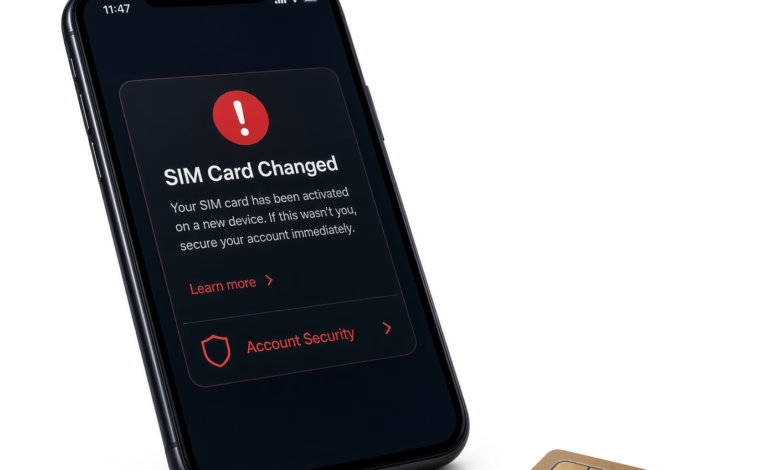
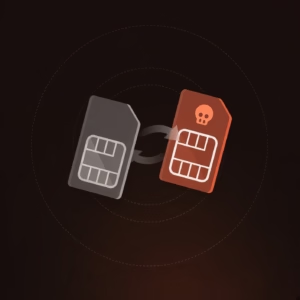
A SIM swapping attack—also referred to as SIM hijacking or port-out fraud—occurs when a malicious actor convinces your mobile carrier to transfer your active phone number to a SIM card under their physical control. Once the transfer is complete, your personal smartphone loses cellular service, displaying “No Service” or “Emergency Calls Only”. Simultaneously, your phone number comes alive on the attacker’s device.
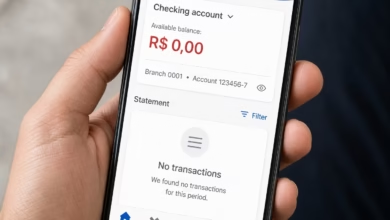
For everyday consumers managing bank accounts, investment portfolios, retirement funds, and digital wallets, this switch is catastrophic. Because virtually every major financial institution uses your mobile phone number as a trusted verification channel, seizing your phone number grants the attacker immediate command over your digital identity. They can intercept one-time passwords (OTPs), trigger password resets, and drain accounts within minutes before you even realize your connection has been severed.
The Mechanics of a SIM Hijack
To appreciate how vulnerable standard communication channels can be, it helps to understand how mobile networks handle subscriber data. Your SIM card acts as a unique digital identifier that connects your handset to your cellular provider’s network, authenticating your voice calls, text messages, and data usage.
Under normal circumstances, transferring a phone number from one device or carrier to another—known as a port-out or SIM replacement—is a routine customer service request. Legitimate users initiate this process when upgrading to a new smartphone or switching providers.
Attackers exploit the human and procedural loopholes within this administrative workflow. Rather than hacking through digital firewalls, cybercriminals leverage social engineering, bribery, or insider threats. They impersonate you by contacting customer support agents, using stolen personal information to pass identity verification questions, and convincing the representative that you lost your phone and need your number moved to a replacement SIM immediately.
Once the carrier’s system updates the International Mobile Subscriber Identity (IMSI) linkage, your legitimate SIM card is instantly deactivated. All incoming voice calls and text messages are routed directly to the criminal’s device, turning your primary communication tool against you.
Why Phone Numbers Became a Single Point of Failure
For over two decades, the telecommunications and financial industries relied on an implicit assumption: physical possession of a mobile device equated to proof of identity. When multi-factor authentication (MFA) was introduced to secure online banking, SMS text messaging was adopted as a universal, convenient second factor.
While texting a verification code felt safer than relying on passwords alone, it inadvertently welded distinct security domains together. Your phone number evolved from a simple routing address for voice calls into a master key capable of unlocking your email, social media profiles, and financial repositories.
The flaw in this architecture is that a phone number is not a cryptographic secret; it is public information shared with merchants, friends, and web forms. When financial institutions treat an SMS text message as definitive proof that you are the authorized account holder, a SIM swap quietly folds multiple security layers back into a single point of failure. The attacker never needs to crack your bank password; they simply redirect the verification channel to themselves, rendering traditional security barriers obsolete.
The Anatomy of an Account Takeover: How Attackers Target Your Money
A SIM swapping attack is rarely a random crime of opportunity. It is usually the final, highly destructive execution step in a meticulously planned campaign designed to extract maximum financial value from the victim. Understanding how threat actors transition from gathering personal data to liquidating financial assets is essential for building a robust defense.
Information Gathering and Social Engineering
Before an attacker can successfully manipulate a mobile carrier’s customer service representative, they must build a comprehensive dossier on their target. This reconnaissance phase relies heavily on open-source intelligence (OSINT), dark web data breach repositories, and targeted social engineering.
Cybercriminals scour public records, social media profiles, and corporate directories to piece together your Personally Identifiable Information (PII). This includes your full legal name, residential address, date of birth, mother’s maiden name, email addresses, and account numbers. Much of this data is routinely exposed in massive third-party corporate data breaches.
Armed with these fragments, attackers often use phishing emails, rogue phone calls, or malicious text messages to extract missing verification details—such as your account PIN, answers to security questions, or specific carrier account numbers. Once they possess enough data to successfully impersonate you during a support interaction, they initiate the carrier swap.
Bypassing SMS-Based Two-Factor Authentication (2FA)
Once the SIM swap is successfully executed, the attacker holds absolute power over your digital perimeter. Because most consumer services allow password resets via SMS verification, the hacker can systematically target your primary email address—which serves as the master recovery hub for all other accounts.
By requesting a password reset on your email provider, the service sends an SMS verification code to your phone number. Because the number now rests on the attacker’s SIM card, they receive the code instantly. With access to your email inbox, they can search for statements from brokerages, banks, cryptocurrency exchanges, and fintech applications.
They methodically work through your financial life, resetting passwords, bypassing security prompts, and locking you out by changing account credentials and recovery phone numbers before you even notice your cellular signal drop.
The Final Payoff: Draining Bank and Investment Accounts
The ultimate objective of a SIM swapping campaign is swift, irreversible financial liquidation. Attackers typically focus on high-value targets, including cryptocurrency wallets, traditional brokerage accounts, peer-to-peer payment applications, and high-yield bank accounts.
Because traditional bank transfers and wire requests often trigger fraud alerts when initiated from unfamiliar devices or unusual geographic locations, sophisticated attackers use various obfuscation techniques. They may establish secondary accounts in your name, convert traditional fiat currency into decentralized digital assets, or execute rapid peer-to-peer transfers that bypass standard clearinghouse delays.
By the time the victim contacts their wireless carrier to report a dead phone line and subsequently discovers their financial accounts emptied, the funds have often been funneled through complex networks of shell accounts, making recovery extremely difficult.
Early Warning Signs: How to Spot a SIM Swap Before It Destroys Your Finances

Time is the single most critical variable in mitigating the damage of a SIM swapping attack. Catching the breach within the first few minutes can mean the difference between a minor administrative headache and catastrophic financial loss. Monitoring your digital environment for specific red flags allows you to intervene before attackers can liquidate your assets.
Sudden Cellular Outages and “No Service” Alerts
The most immediate physical symptom of a SIM swap is an abrupt, unprompted loss of cellular service. If your smartphone displays “No Service,” “Emergency Calls Only,” or fails to send text messages and place phone calls while you are in an area with historically stable network coverage, do not dismiss it as a routine carrier outage.
Check whether nearby devices on the same cellular network are experiencing identical issues. If friends, family members, or dual lines in your household have full signal while your specific device is entirely disconnected, treat it as an emergency security incident. Immediately connect your phone to a trusted Wi-Fi network and investigate your carrier account status.
Unsolicited Carrier Notifications and Port-Out Requests
Wireless carriers frequently send automated text messages or emails when account modifications occur. Warnings such as “Your request to change your SIM card is being processed,” “Your port-out request has been received,” or notifications regarding password updates to your carrier portal should be treated with extreme urgency.
If you receive these alerts while you did not initiate any account changes, an attacker is actively attempting or has already completed a hijack. Never click links inside suspicious notification emails claiming to cancel the request, as these are often phishing traps designed to harvest your credentials. Instead, log into your account independently or call your carrier’s security department directly using an alternate phone line.
Essential Carrier-Side Defenses: Locking Down Your Mobile Account
Securing your financial accounts starts long before you log into your online banking portal; it begins at the telecommunication infrastructure level. Major wireless providers offer advanced security controls specifically designed to prevent unauthorized SIM swaps and port-outs, yet millions of subscribers leave these protections disabled by default.
Setting Up PINs, Passcodes, and Port Freezes
The first line of defense against social engineering is establishing strict authentication requirements on your mobile carrier account. This involves creating a dedicated account passcode or PIN that must be provided by voice or in-person before any customer service representative can make changes to your profile, swap your SIM card, or approve a port-out request.
Furthermore, you can request a “Port Freeze” or “Number Lock” on your account. When active, this restriction blocks any attempts to transfer your phone number to another carrier, even if the person requesting the transfer provides your correct account number and PIN.
Carrier-Specific Protection Mechanisms
Major domestic and international wireless providers maintain distinct security pathways to help subscribers lock down their accounts:
- AT&T Wireless: Subscribers can navigate the myAT&T app or online portal, access security settings, and enable Wireless Account Lock, which requires additional multi-factor verification before any SIM modifications can be processed.
- T-Mobile: Users can access the T-Life app or web dashboard, navigate to account privacy settings, and toggle on SIM Protection and account-level port locks to prevent unauthorized line transfers.
- Verizon Wireless: Through the My Verizon mobile application, customers can access security settings and enable SIM Protection and Number Lock features, restricting unauthorized administrative changes.
Note on Hardware Upgrades: While these security locks provide robust defense against unauthorized transfers, they must be temporarily lifted when you legitimately upgrade your smartphone or transfer service to a new device. Always ensure that administrative locks are re-engaged immediately upon completion of authorized hardware activations.
Advanced Authentication Hardening: Moving Beyond SMS
Even with robust carrier-side protections enabled, relying on SMS text messages for multi-factor authentication remains an inherent structural vulnerability. To achieve true financial security, you must systematically decouple your mobile phone number from your authentication workflows.
Transitioning to App-Based Authenticator Tools (TOTP)
The most effective immediate upgrade you can make to your digital security posture is replacing SMS-based verification codes with Time-Based One-Time Password (TOTP) authenticator applications. Services like Google Authenticator, Authy, or Bitwarden Authenticator generate secure, six-digit verification codes locally on your device every 30 seconds using cryptographic algorithms.
Because these codes are generated entirely offline on your physical device rather than transmitted across cellular networks, intercepting a SIM card provides an attacker zero visibility into your authentication tokens. Whenever a service offers SMS verification alongside app-based TOTP, disable the SMS option entirely and rely exclusively on your authenticator application.
Implementing Hardware Security Keys and Passkeys
For ultimate protection of high-value financial accounts, institutional portals, and primary email hubs, hardware security keys and passkeys represent the gold standard of modern cybersecurity.
- Hardware Security Keys (FIDO2 / YubiKey): Physical cryptographic devices (such as a USB or NFC key) that plug into your computer or tap against your smartphone. They utilize public-key cryptography to bind your authentication directly to the specific web domain you are visiting, making them completely immune to remote interception, SIM swapping, and real-time phishing proxies.
- Passkeys: A modern replacement for traditional passwords and SMS codes. Passkeys are cryptographically secure credentials stored locally on your device and unlocked via biometric verification (Face ID, Touch ID, or Windows Hello). They never travel across a network and cannot be stolen in a remote server breach, offering frictionless security that completely eliminates the vectors exploited by SIM swapping.
Digital Hygiene: Protecting Your Personal Data from Social Engineering

Technical security controls are only as strong as your daily operational habits. Because SIM swapping attacks rely heavily on gathering enough personal intelligence to fool customer service representatives, practicing rigorous digital hygiene is essential for keeping your profile off a criminal’s radar.
Minimizing Your Digital Footprint and PII Exposure
Attackers harvest data from public registries, social media profiles, genealogy sites, and unsecured marketing databases. To disrupt this data collection:
- Audit Social Media Privacy: Lock down your social media profiles so that your birthday, phone number, home address, pet names, and family relationships are hidden from the public. Avoid posting vacation updates or financial milestones online.
- Utilize Data Removal Services: Consider employing reputable privacy services that systematically scrub your PII from data broker registries, public people-search directories, and marketing databases.
- Use Unique Email Addresses and Aliases: Avoid using your primary personal email address for public forums, newsletters, and online shopping accounts. Utilize email alias services to isolate high-risk platforms from your core digital identity.
Recognizing Phishing Traps Designed to Harvest Carrier Credentials
Cybercriminals frequently deploy targeted phishing campaigns specifically designed to steal your mobile carrier account credentials. These attacks often manifest as urgent emails or text messages claiming that your billing information has expired, your plan requires immediate verification, or a special promotional reward is waiting for you.
Always verify the sender’s true address, avoid clicking embedded links in unsolicited messages, and navigate directly to official websites by typing the URL into your browser. If a communication appears to originate from your bank, utility provider, or mobile carrier, independently look up their official customer service number and verify the inquiry through established channels.
Immediate Action Protocol: What to Do If You Become a Victim
If you experience a sudden loss of cellular service accompanied by unprompted account modification alerts, immediate, decisive action can limit the scope of the breach and preserve your financial recovery options.
Emergency Contact with Wireless Providers and Financial Institutions
Time is measured in seconds when mitigating a live SIM swap. Execute this response protocol immediately:
- Contact Your Carrier Immediately: Use a landline or a secondary device to call your wireless provider’s fraud or security department. Inform them that your SIM card was swapped without authorization, request an immediate freeze on your account, and demand that your phone number be returned to your legitimate SIM.
- Alert Financial Institutions: Contact the fraud departments of your banks, credit card issuers, and investment brokerages. Inform them that your mobile number has been compromised and request a temporary hold on outgoing wire transfers, ACH movements, and password resets until your identity is re-verified.
- Secure Your Email Accounts: Log into your primary email providers from a secure device, check active session histories, revoke unauthorized web session cookies, and ensure that recovery phone numbers and backup email addresses have not been altered by the attacker.
Freezing Credit Reports and Securing Compromised Accounts
Once immediate containment is established, take comprehensive steps to protect your broader financial profile:
- Place Credit Freezes: Contact the major credit bureaus (Equifax, Experian, and TransUnion) to place a free security freeze on your credit reports. This prevents attackers from opening new lines of credit, loans, or credit cards in your name even if they have successfully acquired your Social Security number.
- File Official Reports: Submit detailed incident reports to local law enforcement, the Federal Trade Commission (FTC) at IdentityTheft.gov, and the FBI’s Internet Crime Complaint Center (IC3). Official documentation is often required by financial institutions and insurance providers when investigating fraud claims and processing asset recovery.
- Consult Specialized Professionals: If significant financial assets or cryptocurrency holdings have been compromised due to carrier security failures, consult legal professionals specializing in digital asset recovery and telecommunications liability to evaluate potential arbitration or litigation pathways.
Securing Your Financial Future Against Modern Cyber Threats
Protecting your wealth in an interconnected digital economy requires moving past the illusion that traditional mobile authentication is enough to keep your assets safe. By understanding how SIM swapping attacks operate, establishing rigid carrier-side account locks, eliminating SMS-based verification in favor of authenticator apps and hardware keys, and practicing disciplined digital hygiene, you transform yourself from an easy target into a hardened digital fortress. Security is not a single product you purchase, but a continuous commitment to vigilance—ensuring that the keys to your financial life remain firmly in your hands.