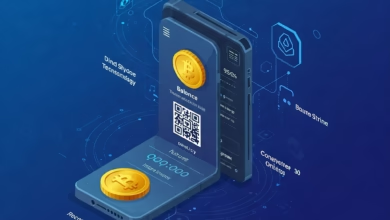
How does a crypto wallet work?
Learn what a cryptocurrency wallet looks like inside

If you are stepping into the world of cryptocurrency, the first tool you need isn’t Bitcoin—it’s a crypto wallet. However, for most newcomers, the concept is confusing. We are used to physical wallets that hold cash and credit cards. We are used to banking apps that show us a balance stored in an account.
Crypto wallets are entirely different.
If you lose your physical wallet, you lose your money. If you delete your banking app, your money is still safe at the bank. But what happens if you delete your crypto wallet? Where is the money actually stored?
Understanding how these digital tools work is critical. It is the difference between having total control over your financial future and losing your investment to a simple technical error. This guide will demystify the technology, explaining public keys, private keys, seed phrases, and security in plain English.
The Big Myth: Your Coins Are Not in Your Wallet

The most common misconception about cryptocurrency wallets is that they store cryptocurrency. They do not.
Bitcoin, Ethereum, and other digital assets do not live on your phone, your laptop, or even on a USB hardware device. They live on the blockchain—the global, decentralized digital ledger that records every transaction.
So, what does the wallet do?
Think of a crypto wallet like a web browser. Your web browser (like Chrome or Safari) holds the capability to view websites, but it doesn’t store the internet inside your computer. Similarly, a crypto wallet is essentially a keychain. It stores the secure credentials (keys) that allow you to access, view, and move your coins on the blockchain.
Cracking the Code: Public Keys vs. Private Keys
To understand how a wallet functions, you must understand the cryptography behind it. Don’t worry—we will skip the math and use an analogy. Every crypto wallet manages a pair of keys: the Public Key and the Private Key.
1. The Public Key (The Mailbox Address)
Your public key is derived from a complex string of code, but it is usually presented to you as a “Wallet Address”—a long string of letters and numbers (e.g., 0x123abc…).
-
What it does: This allows you to receive money.
-
Security: You can share this with anyone. You can post it on social media or email it to a friend.
-
Analogy: Think of this as your email address or your home mailing address. People need it to send you things, but knowing your address doesn’t let them open your mail.
2. The Private Key (The Mailbox Key)
This is the most important piece of data in the crypto world. It is a secret alphanumeric code that proves ownership of the assets associated with your Public Key.
-
What it does: It allows you to sign transactions. When you “send” Bitcoin, your wallet uses the private key to digitally sign the request, proving to the blockchain that you have the right to move those funds.
-
Security: Never share this. If someone has your private key, they have full control over your funds. There is no bank to call to reverse a transaction.
-
Analogy: This is the password to your email account or the physical key to your mailbox.
The “Seed Phrase”: Your Ultimate Backup
If your private key is a long, complicated string of code that is impossible to memorize, how do you recover your wallet if you lose your phone?
Enter the Seed Phrase (also known as a Recovery Phrase or Mnemonic Phrase).
When you set up a new non-custodial wallet, the software will generate a list of 12 to 24 random words (e.g., apple, river, mountain, vehicle…). This list is a human-readable translation of your private key.
-
The Golden Rule: You must write these words down on paper and store them somewhere fireproof and waterproof.
-
The Risk: If you lose your phone and you lose this piece of paper, your money is gone forever. It is mathematically impossible to recover it.
Hot Wallets vs. Cold Wallets: Which Do You Need?

Not all wallets are created equal. In the finance and investment world, we categorize them based on their connectivity to the internet.
Hot Wallets (Software Wallets)
A hot wallet is any wallet that is connected to the internet.
-
Examples: Mobile apps (like Trust Wallet), Desktop software (like Exodus), or Browser extensions (like MetaMask).
-
Pros: Extremely convenient. Great for quick transactions, trading, and connecting to Web3 apps.
-
Cons: Because they are online, they are vulnerable to hackers, malware, and phishing attacks.
-
Best For: Keeping small amounts of crypto intended for daily use or trading. Think of this as the cash in your pocket.
Cold Wallets (Hardware Wallets)
A cold wallet is a physical device that keeps your private keys offline at all times.
-
Examples: Ledger, Trezor, or SafePal.
-
Pros: Maximum security. Even if you plug the device into an infected computer, the private keys never leave the device. You must physically press buttons on the device to authorize a transaction.
-
Cons: Less convenient. You have to carry the device with you to send money. They also cost money to buy (usually between $50 and $200).
-
Best For: Long-term storage (HODLing) of significant wealth. Think of this as your bank vault or a gold bar buried in the backyard.
Custodial vs. Non-Custodial: Who Holds the Keys?
This is a philosophical and practical distinction that every investor must understand.
Custodial Wallets (The “Bank” Model)
When you sign up for a major exchange like Coinbase, Binance, or Kraken, you are using a custodial wallet. You log in with a username and password. The company holds the private keys; you do not.
-
Risk: If the exchange goes bankrupt (like FTX did) or freezes your account, you lose access to your funds.
-
Benefit: If you forget your password, customer support can help you reset it.
Non-Custodial Wallets (The “Self-Sovereign” Model)
These are wallets where only you know the private key/seed phrase.
-
Risk: You are entirely responsible for your own security. There is no customer support.
-
Benefit: You have absolute control. No government or corporation can freeze your assets or stop a transaction. The saying in the crypto community is: “Not your keys, not your crypto.”
How a Transaction Actually Works: Step-by-Step

Let’s walk through what happens technically when you use your wallet to send funds to a friend.
-
Initiation: You open your wallet app, enter your friend’s public address (or scan their QR code), and type in the amount.
-
Signing: You click “Send.” Your wallet uses your Private Key to digitally sign a message that says, “I authorize moving 0.1 BTC from my address to this new address.”
-
Broadcasting: The wallet broadcasts this signed message to the blockchain network (the nodes).
-
Validation: The network of computers (miners or validators) checks the signature to ensure it matches your public key and verifies you have enough funds.
-
Confirmation: Once validated, the transaction is grouped into a “block” and added to the blockchain.
-
Completion: Your friend’s wallet sees the new block on the chain and updates their balance to reflect the incoming funds.
Understanding Network Fees (Gas Fees)
One shock for many new users is the fee associated with using a wallet. Wallets don’t usually charge you to store money, but the network charges you to move it.
These are called Gas Fees (on Ethereum) or Transaction Fees (on Bitcoin). This fee goes to the miners/validators who secure the network, not to the wallet provider.
-
Congestion Matters: If many people are using the network at once, fees go up.
-
Speed Matters: You can often choose to pay a higher fee to get your transaction processed faster.
Security Best Practices: How Not to Get Hacked
The freedom of being your own bank comes with the responsibility of being your own security guard. Here are advanced tips to keep your assets safe.
1. Beware of the “Support” Scam
This is the most common hack. Scammers will pose as “Wallet Support” on Twitter, Telegram, or Reddit. They will ask for your Seed Phrase to “validate” or “sync” your wallet. NEVER give your seed phrase to anyone. No legitimate company will ever ask for it.
2. Use a Hardware Wallet for Large Sums
If you have more than $1,000 invested in crypto (or whatever amount would be painful to lose), invest in a hardware wallet. It is the cheapest insurance policy you can buy.
3. Check the Address Twice
Clipboard malware is a virus that detects when you copy a crypto address and swaps it for the hacker’s address when you paste it. Always check the first 4 and last 4 characters of the address before hitting send.
4. Disconnect from DApps
If you use your wallet to connect to decentralized applications (DApps) or NFT sites, make sure to disconnect your wallet when you are done. Leaving it connected can sometimes leave you vulnerable if that site is compromised.
The Future: Wallets as Digital Passports
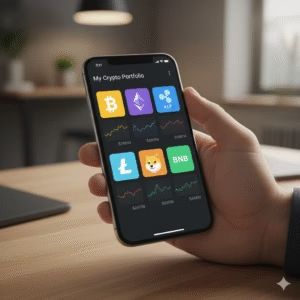
As we move toward Web3, crypto wallets are becoming much more than just storage for money. They are evolving into digital identities.
In the future, your wallet might store:
-
NFTs: Digital art and collectibles.
-
Credentials: University degrees or professional certifications verified on the blockchain.
-
Voting Rights: Tokens that allow you to vote in decentralized organizations (DAOs).
-
Login Info: Instead of using “Log in with Google,” you will “Connect Wallet,” allowing you to log in to websites without sharing your personal data.
Taking Control of Your Financial Destiny
A crypto wallet is a powerful tool. It removes the middlemen—banks, payment processors, and governments—from the equation, allowing purely peer-to-peer value transfer.
While the technology can seem intimidating at first, the learning curve is worth it. By understanding the difference between public and private keys, and by choosing the right storage method for your needs, you can participate in the global economy with a level of freedom that was impossible just a few decades ago.
Start small. Download a reputable hot wallet, practice sending a few dollars back and forth, and write down your seed phrase. Once you are comfortable, you will realize that a crypto wallet isn’t just an app; it’s your personal gateway to the future of finance.
Frequently Asked Questions (FAQ)
Q: Is a crypto wallet free?
A: Yes, most software (hot) wallets are free to download and use. However, hardware (cold) wallets are physical devices that you must purchase. Also, remember that you still pay “network fees” when sending money, regardless of the wallet.
Q: Can I store Bitcoin and Ethereum in the same wallet?
A: Most modern wallets are “multi-currency” or “multi-chain,” meaning they can manage Bitcoin, Ethereum, and hundreds of other coins in a single app. However, under the hood, you have a separate address for each blockchain.
Q: What happens if I lose my hardware wallet device?
A: Your money is safe! As long as you have your Seed Phrase (the backup words written on paper), you can buy a new device, enter the words, and your funds will reappear. The device is just a tool; the funds are on the blockchain.
Q: Can a wallet be hacked?
A: The blockchain itself is incredibly secure. However, your computer or phone can be hacked. If a hacker installs malware on your laptop, they might be able to steal your private keys from a hot wallet. This is why hardware wallets are recommended for better security.